

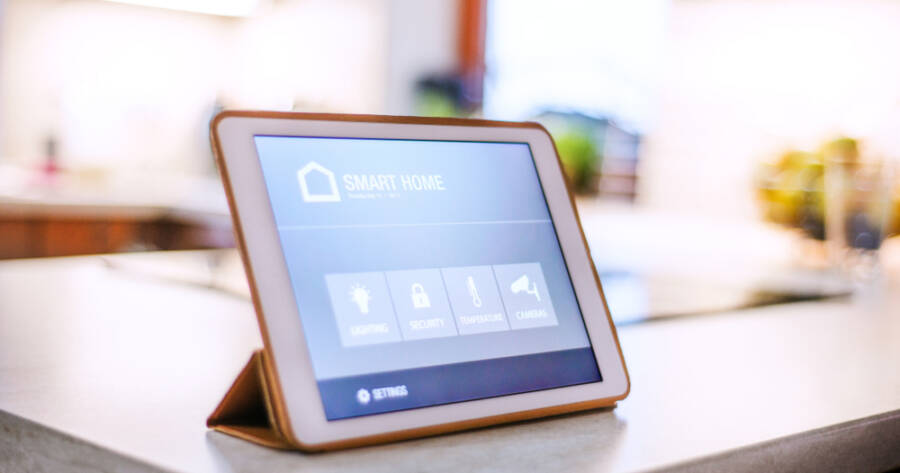
Many people have an old tablet sitting in a drawer, no longer used for daily tasks but still fully functional. Instead of letting it go to waste, that device can become a central control panel for your home. With a few simple steps, you can turn it into a smart home dashboard that manages lights, plugs, cameras, and more. The right setup helps bring everything together in one place, making daily routines easier to control and monitor.
Why Use a Tablet as a Smart Home Dashboard
A tablet works well as a smart home dashboard because it has a large screen and stays in one place. Unlike a phone, which moves with you, a tablet can act as a fixed control center that anyone in the household can use. This makes it easier to adjust settings quickly without searching for an app on your personal device.
Another benefit is visibility. With a larger display, you can see multiple controls at once, such as lights, temperature, or security cameras. This reduces the need to switch between apps and helps you manage your home more efficiently. Over time, this kind of setup can simplify how you interact with your devices.
Choosing the Right Apps for Control
The first step is selecting apps that can control your smart devices. Many homes already use platforms like Google Home, Amazon Alexa, or Apple Home. These apps allow you to manage multiple devices in one place, making them ideal for a dashboard setup.
If your devices use different apps, you may still be able to connect them through one main platform. This depends on compatibility, but many popular smart home products support at least one of the major systems. Once connected, you can control lights, smart plugs, thermostats, and more from a single screen.
Some users also add third-party dashboard apps that combine controls into a cleaner layout. These apps can display buttons, switches, and status updates in a simple format, making it easier to interact with your home at a glance.
Setting Up the Tablet for Daily Use
After installing the necessary apps, the next step is preparing the tablet for constant use. Start by removing unnecessary apps and notifications to keep the screen clean and focused. You want the device to act as a tool, not a distraction.
Adjust the settings so the tablet stays awake while charging. This allows it to function as a always-on display without needing to unlock it each time. You can also enable a simple lock method or remove the lock screen entirely if the tablet will stay in a secure location.
It helps to organize your home screen so the main controls are easy to access. Place your smart home app or dashboard front and center, and remove anything that does not support your setup. The goal is to make the experience as simple as possible for anyone who uses it.
Mounting and Placement Options
Where you place your tablet matters. A common approach is to mount it on a wall in a central area, such as a kitchen, hallway, or living room. This makes it easy for everyone to reach and use throughout the day. Wall mounts designed for tablets can hold the device securely while keeping it accessible.
If mounting is not ideal, you can use a stand to keep the tablet upright on a counter or shelf. This option is more flexible and allows you to move the device if needed. No matter which setup you choose, keep the tablet plugged in so it remains powered at all times.
Placement should also consider visibility. The screen should be easy to read from a short distance, and the controls should be simple enough to use without needing to study the layout. A clear and clean setup makes the dashboard more effective.
Adding Automation and Shortcuts
Once the tablet is in place, you can enhance it with automation. Many smart home apps allow you to create routines that trigger multiple actions at once. For example, a “morning” routine could turn on lights, start a coffee maker connected to a smart plug, and adjust the thermostat.
You can place these routines as shortcuts on the main screen, allowing users to activate them with a single tap. This reduces the need to control each device separately and makes the dashboard more useful in daily life.
Voice control can also be added if your tablet supports it. This allows you to give commands without touching the screen, adding another layer of convenience. Over time, combining touch and voice controls can make your smart home feel more connected.
Keeping the System Simple and Reliable
A smart home dashboard works best when it is simple. Avoid adding too many apps or controls that make the screen cluttered. Focus on the devices and actions you use most often, and keep those easy to access.
Regular updates are also important. Make sure your apps and tablet software stay current so everything runs smoothly. If a device stops responding, check its connection and update settings as needed. Keeping the system reliable ensures that your dashboard remains a helpful tool rather than a source of frustration.
Giving New Life to Old Technology
Turning an old tablet into a smart home dashboard is a practical way to reuse a device you already own. With the right setup, it becomes a central hub that simplifies how you control your home.
By combining clear organization, smart placement, and useful automation, you can create a system that saves time and reduces effort. Instead of letting old technology sit unused, this approach puts it back to work in a meaningful way.