

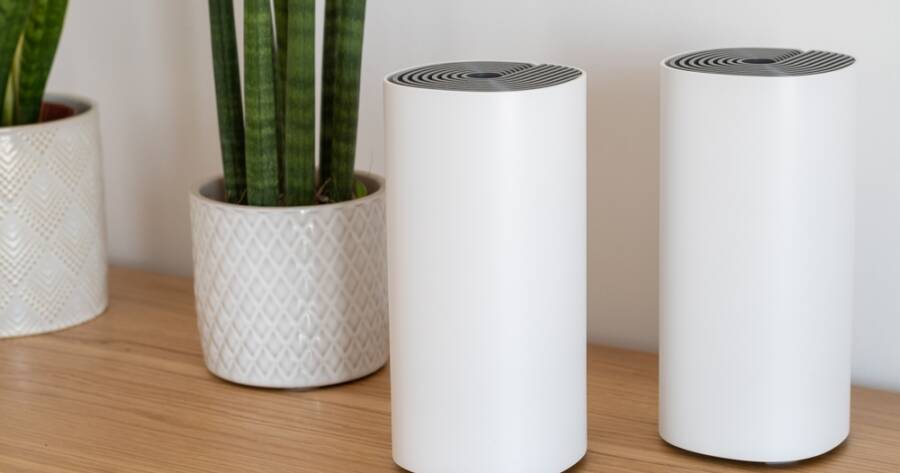
A strong and reliable internet connection is now a basic need in most homes across the United States. From streaming and video calls to smart devices and remote work, weak Wi-Fi can quickly become frustrating. Mesh Wi-Fi systems offer a simple way to improve coverage without complex setups. Instead of relying on one router, they use multiple units to spread a stable signal throughout your home, making it easier to stay connected in every room.
What a Mesh Wi-Fi System Does
A mesh Wi-Fi system replaces or works alongside your current router by using multiple devices, often called nodes. These nodes work together to create one seamless network instead of separate connections. As you move around your home, your device automatically connects to the strongest signal without interruption.
This setup helps eliminate common problems like dead zones or weak signals in certain areas. Whether you are in a bedroom, basement, or backyard, a mesh system aims to keep your connection stable. It is especially useful in larger homes or spaces with thick walls that block signals from a single router.
Choosing the Right System for Your Space
Before setting up a mesh network, it is important to choose a system that fits your home and daily needs. Many popular options come in multi-pack setups. For example, the Google Nest WiFi Pro and Amazon eero 6 are commonly sold in two- or three-pack bundles designed to cover small to mid-sized homes. Larger homes may benefit from systems like the TP-Link Deco X55 or Netgear Orbi series, which are built to extend coverage across multiple floors.
It is also important to think about how many devices will be connected. Homes with multiple smartphones, laptops, smart TVs, and smart home devices may need a system that can handle higher demand. Systems like the eero 6 and Deco X55 are designed to support many connected devices at once, making them a good fit for busy households with heavy daily usage.
Compatibility should not be overlooked. Most modern mesh systems, including Google Nest WiFi Pro and Netgear Orbi, work with standard internet providers in the United States. However, it is still important to confirm that the system supports your specific connection type, such as cable or fiber. Taking a moment to check compatibility can help avoid setup issues and ensure a smoother experience from the start.
Setting Up the Main Node
The setup process usually begins with the main node, which connects directly to your modem. Start by unplugging your old router and connecting the main mesh unit using an Ethernet cable. Once powered on, this node becomes the central point of your network.
Most mesh systems use a mobile app to guide you through setup. The app will help you create a network name and password, and it will confirm when the connection is working. This process is designed to be simple, even for users who are not familiar with networking.
After the main node is active, your home will already have Wi-Fi coverage, but it may not reach every area yet. That is where the additional nodes come in.
Placing Additional Nodes for Best Coverage
The placement of your nodes is key to building a strong network. Each node should be placed within a reasonable distance of the next so they can communicate effectively. A good approach is to space them evenly throughout your home rather than placing them too far apart.
For example, you might place one node in the living room, another in a hallway, and a third near bedrooms. Avoid placing nodes in enclosed spaces like cabinets or behind large objects, as this can weaken the signal.
The goal is to create a smooth path for the Wi-Fi signal to travel across your home. Many apps will show signal strength and help you adjust placement if needed. Taking time to position nodes correctly can make a noticeable difference in performance.
Connecting Devices and Managing the Network
Once your nodes are in place, you can start connecting your devices to the network. This process is similar to connecting to any Wi-Fi network. Select your network name, enter the password, and your device will join the system.
One advantage of mesh Wi-Fi is that you only need one network name. Unlike older setups with extenders, you do not have to switch between networks as you move around. This creates a smoother experience, especially when streaming or on video calls.
Most mesh systems also include simple controls through their apps. You can see which devices are connected, pause internet access for certain devices, or create guest networks for visitors. These features help you manage your home network without needing advanced technical knowledge.
A Simple Upgrade for Better Connectivity
Building a home network with a mesh Wi-Fi system does not require advanced skills or complicated equipment. With a few well-placed nodes and a guided setup process, you can create a network that covers your entire home.
By improving signal strength and reducing connection issues, a mesh system helps support daily activities without interruption. It is a practical solution for anyone looking to make their home internet more reliable and easier to manage.